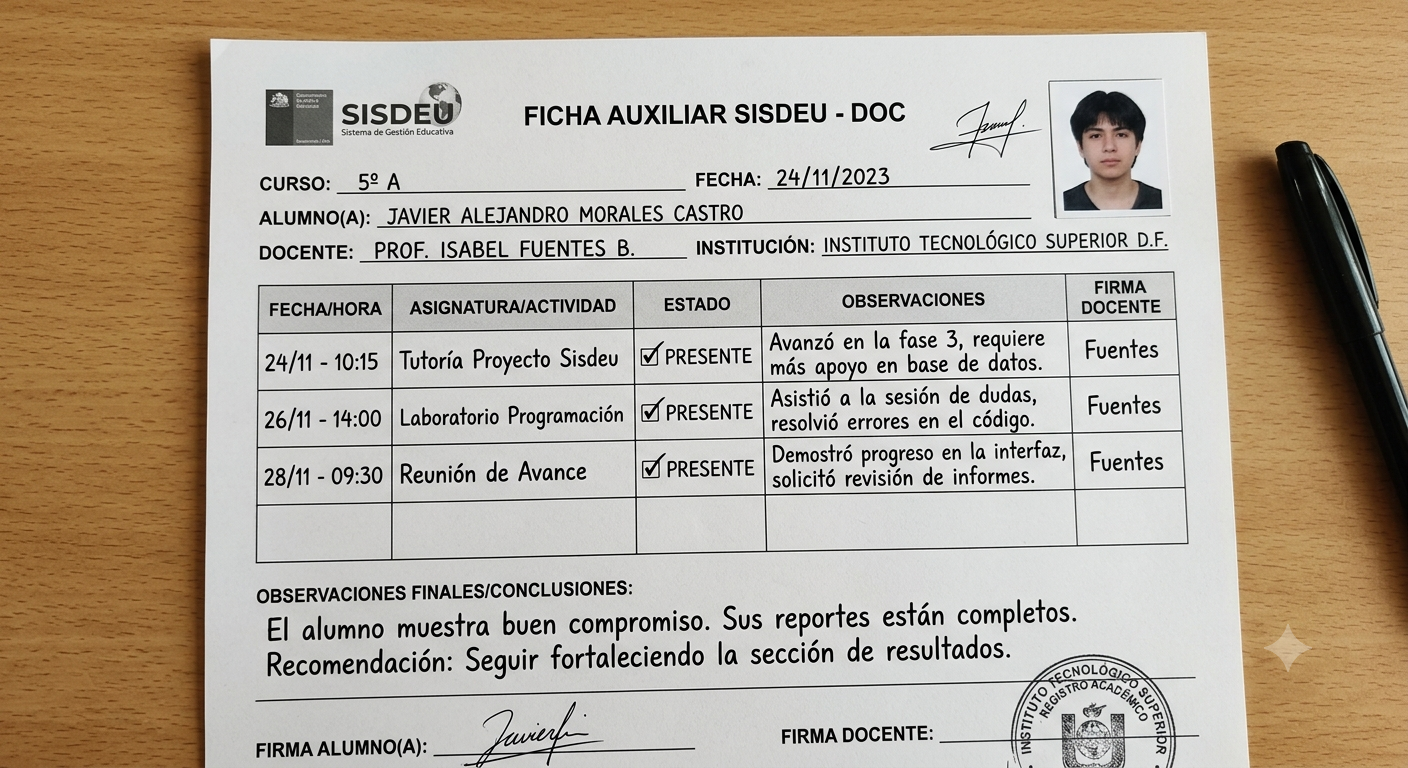
The Ficha auxiliar SISDEU DOC is associated with SISDEU, the online sports-management platform operated by the Federación Deportiva Universitaria del Perú, commonly known as FEDUP. It is best understood within the workflow for registering, reviewing, accrediting, and managing participants in Peruvian university sports—not as a general academic transcript, diploma request, or Ministry of Education record.
That distinction matters. Several online explanations describe SISDEU as an academic-information system, yet FEDUP’s own documentation identifies it as the Sistema Deportivo Universitario and states that it is available to sports representatives from institutions affiliated with FEDUP and RENADE. The platform supports participant accreditation, credential generation, statistical reports, participation histories, and athlete results.
This guide explains what the document represents inside that operational process, how authorized users should handle it, what to verify before using it, and why downloading a fresh copy from the official system is safer than relying on an old file shared through email or cloud storage.
What Is the Ficha Auxiliar SISDEU DOC?
The Ficha auxiliar SISDEU DOC is a downloadable auxiliary record connected to an SISDEU registration or accreditation workflow. FEDUP has published an official video specifically titled “Descarga de Ficha Auxiliar – SISDEU,” confirming that downloading the auxiliary sheet is an actual platform task rather than a generic university-document procedure. licly indexed FEDUP pages do not provide a complete field-by-field copy of the current form. For that reason, users should avoid assuming that every version contains the same columns, signatures, athlete details, team information, or event references.
A safer definition is this: the document is a supporting export or worksheet generated from SISDEU for operational use by an institution’s sports representative. Its exact contents may depend on the event, sport, registration stage, platform version, and permissions assigned to the account.
What SISDEU Actually Means
SISDEU stands for Sistema Deportivo Universitario. FEDUP introduced it as an improved successor to SISFEDUP, which had been used between 2016 and 2020. ew0
The official system is designed around university sport. Its documented functions include:
- Accrediting participants for FEDUP events
- Generating credentials and statistical reports
- Displaying registration histories by event and institution
- Showing individual athlete results and overall results
- Supporting sports representatives from affiliated institutions
This context changes how the Ficha auxiliar SISDEU DOC should be interpreted. It belongs to a sports-administration workflow involving athletes, teams, officials, events, eligibility, and accreditation—not to routine academic processes such as grade transcripts or degree validation.
Who Uses the Ficha Auxiliar SISDEU DOC?
The primary user is normally the sports representative, institutional delegate, or authorized administrator responsible for entering and checking participants in SISDEU. FEDUP event notices repeatedly state that registrations are completed through SISDEU by the sports representative of the participating institution. letes may receive a copy, be asked to verify information, or provide supporting documents, but that does not necessarily mean they can generate the file independently. Access rights depend on how FEDUP and the institution configure the user account.
The document may be relevant to:
- Universities and higher-education institutions participating in FEDUP competitions
- Sports offices, university-welfare departments, and athletic coordinators
- Team delegates and accredited institutional representatives
- Coaches or officials assisting with roster verification
- Athletes asked to confirm personal or competition details
This role-based structure is another reason not to download random templates from third-party websites. A blank form found online may not match the live event record, current SISDEU version, or institution-specific registration.
The safest Ficha auxiliar SISDEU DOC is therefore the one generated for the correct event through an authorized account.
What Information Should Be Checked?
Before submitting the Ficha auxiliar SISDEU DOC, compare every visible item against the live SISDEU record and the event regulations. Do not treat the downloaded file as correct merely because the system produced it; data-entry mistakes can appear in exports.
Although fields can vary, the review should focus on five categories.
1. Institutional Information
Confirm the institution’s official name, abbreviation, team designation, and responsible representative. Small inconsistencies can create confusion when multiple campuses, branches, faculties, or similarly named institutions participate.
Use the same naming convention shown in the official registration. Avoid manually shortening or “cleaning up” the institutional name unless FEDUP instructs you to do so.
2. Participant Identity
Check each person’s full legal name, identity-document number where displayed, date of birth, gender category where relevant, and institutional relationship. The spelling should match the supporting identification and the data stored in SISDEU.
Do not add nicknames, omit surnames, or change the order of names simply to improve appearance. Identity consistency is more important than visual neatness.
3. Sport, Event, and Category
Verify the discipline, event name, team, competition category, division, modality, weight class, age category, or individual event as applicable. FEDUP organizes different types of events, including regional university games, leagues, national university championships, esports, and Universiadas. articipant can be correctly identified but registered in the wrong category. That type of error may not be obvious until accreditation or competition-day checks.
4. Registration Status
Look for indicators showing whether the participant is pending, registered, observed, validated, accredited, withdrawn, or otherwise classified. The exact terminology can change, so interpret the status using the live system and current event instructions.
Never replace an official status manually inside the exported document. Corrections should be made through the authorized process so that the portal and the downloaded record remain aligned.
5. Document Version and Generation Date
Confirm when the file was generated and whether changes were made afterward. A Ficha auxiliar SISDEU DOC downloaded before a roster correction may become obsolete even though it still opens normally.
Add an internal version label to your working copy without altering the official content. For example, store it in a dated folder or include the generation date in the filename.
How to Download the Ficha Auxiliar SISDEU DOC
The exact menu labels may change because SISDEU is a live web application. The official portal currently requires JavaScript, and its publicly visible page does not expose authenticated dashboard controls. ractical download workflow is:
- Open the official SISDEU portal. Use the route provided through FEDUP’s website or current event communication.
- Sign in with the authorized institutional account. Do not use shared credentials obtained from an unknown source.
- Open the relevant event or registration module. Select the correct championship, league, regional event, or accreditation process.
- Locate the auxiliary-sheet option. The wording may appear as “Ficha auxiliar,” “Descargar ficha,” an export button, or a document icon.
- Generate the current file. Wait for the system to finish processing before clicking the download option repeatedly.
- Open and inspect the download. Confirm that the file belongs to the intended event and institution.
- Save an untouched master copy. Duplicate it before adding internal notes or making any permitted edits.
Each newly generated Ficha auxiliar SISDEU DOC should come from the current authorized session whenever possible. A copy sent by another person may be useful for reference, but it should not automatically be treated as the latest official version.
Is “DOC” the Official File Type?
The search phrase can be misleading. “DOC” may refer to a Microsoft Word document, a downloadable document in general, or simply the wording people use when searching for the form.
Do not assume that the Ficha auxiliar SISDEU DOC must always download as .doc or .docx. Depending on the platform’s current export function, browser behavior, or event module, the output could be a Word file, PDF, spreadsheet, printable page, or another supported format.
Use the format generated by SISDEU. Converting it unnecessarily can change page breaks, tables, embedded elements, signatures, or print layout.
DOC, DOCX, and PDF: Practical Differences
A Word-format file is easier to edit but also easier to alter accidentally. A PDF usually preserves layout more reliably, while an Excel-style export is better suited to structured lists and large rosters.
The correct choice is not the format that feels most convenient. It is the format required by the current SISDEU workflow or FEDUP event instructions.
How to Complete or Review the Document Correctly
If the exported file contains editable fields, enter only information that the institution is authorized to provide. Do not overwrite system-generated identifiers, registration numbers, locked headings, formulas, or status fields.
Use this validation sequence:
- Compare the file with the live participant list
- Compare identity data with official supporting documents
- Check the sport, event, modality, and category
- Confirm the institutional representative
- Review missing fields and duplicated participants
- Verify that late changes appear in the newest export
- Keep evidence of the final reviewed version
For a large delegation, use a two-person review. One person checks identity and eligibility data; another checks event assignment, category, and roster completeness.
This process reduces confirmation bias. The person who entered the data is more likely to overlook the same typo when reviewing it.
Common Errors That Cause Problems
Most document problems are not technical. They begin with weak version control, incomplete data checks, or assumptions about who is responsible for the next step.
Using an Outdated Download
A coordinator downloads the Ficha auxiliar SISDEU DOC, makes roster changes in the portal, and later submits the older local file. The solution is simple: generate a fresh copy after the final update and mark earlier exports as superseded.
Editing the Export Instead of the System
Changing a name or category directly in Word does not necessarily update SISDEU. The visible document and database can then show different information.
Correct the authoritative record first. Download the document again afterward.
Selecting the Wrong Event
Institutions may participate in several competitions during the same period. Similar event names, opening and closing tournaments, divisions, or regional stages can lead to incorrect exports.
Check the event name, year, category, and registration deadline before processing the file.
Losing the Original File
Repeated editing, conversion, and renaming can make it difficult to identify the untouched export. Keep one read-only master copy and work from a duplicate.
Assuming the Athlete Must Register Directly
FEDUP notices identify the institutional sports representative as the person responsible for SISDEU registration in multiple competitions. athlete who cannot find a public self-registration button should contact the institution’s sports office or delegate rather than creating unofficial forms.
File Naming and Version Control
A consistent naming structure makes the Ficha auxiliar SISDEU DOC easier to locate, verify, and archive. Use a pattern that includes the institution, event, category, generation date, and version.
Example:
Institution_Event_Category_2026-07-07_v01
Avoid filenames such as Document1, final, new final, or corrected final 2. These labels become meaningless when several people exchange files.
Archive the final Ficha auxiliar SISDEU DOC and maintain a simple version log containing:
- Filename
- Date and time generated
- Person who downloaded it
- Event or registration module
- Changes made afterward
- Submission or review status
Privacy and Secure Handling
SISDEU manages participant information, registration histories, credentials, and competition results. That means exported files may contain personal or operational data that should not be posted publicly.
Store the Ficha auxiliar SISDEU DOC in an institution-controlled location with access limited to staff who need it. Avoid public sharing links, open messaging groups, or personal devices without basic security.
Before sending the Ficha auxiliar SISDEU DOC:
- Verify the recipient’s official address
- Remove public-link permissions after use
- Avoid including unnecessary identity documents
- Use the institution’s approved storage system
- Follow internal retention and deletion rules
A document can be administratively useful without being suitable for unrestricted circulation.
Troubleshooting Download Problems
If the file does not download, first confirm that the browser allows downloads and pop-ups for the official portal. Then refresh the authenticated session, reopen the correct event, and try the export once.
If the Ficha auxiliar SISDEU DOC opens with broken formatting, do not immediately rebuild it manually. Try the application associated with the original format, download a fresh copy, and check whether another authorized computer produces the same result.
For account, platform, or technical problems, use FEDUP’s official support route shown on the SISDEU login page rather than third-party “download” websites. The portal lists a dedicated technical-support email for platform issues.
A failed Ficha auxiliar SISDEU DOC download should be resolved through that official channel rather than by accepting an unverified replacement file. How This Document Fits Into the Wider SISDEU Process
The auxiliary sheet is only one part of a broader registration and accreditation chain. SISDEU was designed to support accreditation, credentials, reports, participation records, and results, so a downloaded document should be treated as a snapshot of data within that larger system.
A typical operational sequence may include:
- Institution and representative access
- Event selection
- Participant registration
- Eligibility and data review
- Auxiliary-sheet download
- Corrections inside the portal
- Final accreditation or confirmation
- Credential and report generation
- Participation and results recording
The precise order can vary by event. Current competition rules and official FEDUP instructions should always take priority over a generic guide, even when a previously saved Ficha auxiliar SISDEU DOC appears complete.
Frequently Asked Questions
What is the Ficha auxiliar SISDEU DOC used for?
The Ficha auxiliar SISDEU DOC is used as a supporting document or export within SISDEU’s university-sports registration and accreditation workflow. It helps authorized institutional personnel review or manage information connected to participants, teams, events, and registrations.
It should not automatically be interpreted as an academic transcript, enrollment certificate, or degree-validation form. Its purpose is tied to FEDUP’s sports-management activities.
Is SISDEU an academic transcript system?
No. FEDUP identifies SISDEU as the Sistema Deportivo Universitario. Its stated functions concern sports-event accreditation, credentials, reports, participation history, and athlete results.
Descriptions presenting it as a national academic-records system should therefore be treated cautiously unless supported by authoritative evidence.
Can a student-athlete download the form without an institutional account?
Possibly not. FEDUP states that SISDEU is enabled for sports representatives of properly affiliated institutions, and its event notices assign registration responsibility to those representatives. athlete who needs the document should contact the university’s sports office, athletic coordinator, welfare department, or authorized delegate.
Should the document be edited after downloading?
Only when the official workflow clearly permits it. Database corrections should normally be made in SISDEU first, followed by a new download, because editing a local file may not update the platform.
Always preserve an untouched copy before adding internal notes. Never manually alter system-generated registration statuses, identification numbers, or event assignments to make the file appear correct.
Where should users obtain the latest version?
Generate the Ficha auxiliar SISDEU DOC through the official SISDEU portal or follow current instructions issued by FEDUP and the relevant event organizer. Avoid third-party templates that cannot prove their version, origin, or compatibility.
A file’s professional appearance does not establish authenticity. The live portal record and official event communication remain the strongest reference points.
Conclusion: Use the Official Record, Not an Assumed Template
The Ficha auxiliar SISDEU DOC is not a generic academic form. It sits within FEDUP’s Sistema Deportivo Universitario, where authorized institutional representatives manage registrations, accreditation, credentials, participation records, and results for university-sports events.
The most reliable next step is to sign in through the official SISDEU route, open the correct event, generate a fresh auxiliary sheet, and compare it carefully with the live registration and supporting identity information. Preserve the original export, correct errors in the platform rather than only in the local file, and submit or share the document solely through the channel specified for that competition.